You can receive IP address of your customer in the email notifications using custom fields. The chatbot collects the IP address and stores it in a key called “ip".
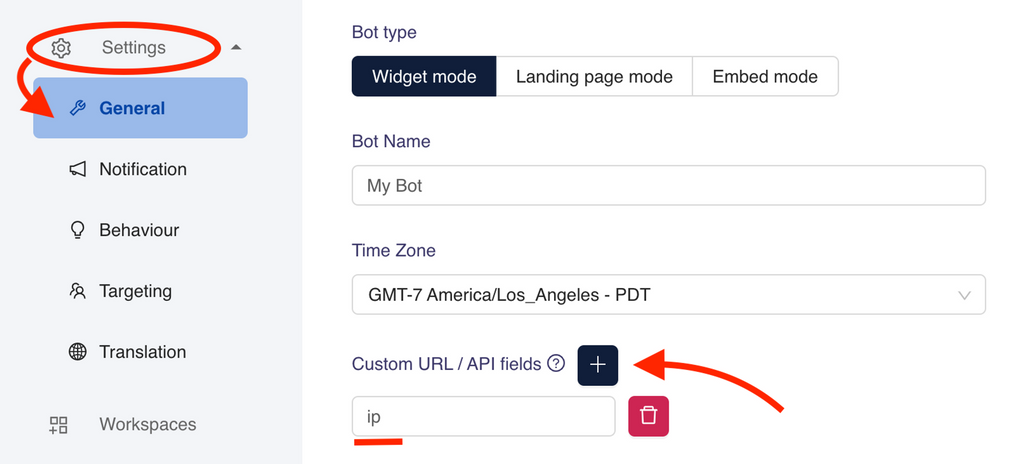
Please go to your Dashboard > Settings > General > Custom URL / API. Add “ip” as a Custom field as shown above.
Now, test whether you are receiving the IP address, by having an interaction with your chatbot.
Tip
Don't forget to publish your changes before testing.
Was this article helpful?
Still need help?
Contact us